Online guest check-in before arrival.
How online guest check-in works, why it is safer than a photo of an ID document by email, and how it joins E. turistas reporting, payment, and the door code into one flow that runs without you.
Updated October 11, 2026
What is online check-in?
Online guest check-in (also called self check-in) means the guest fills in their registration details themselves before arrival, through a secure link–rather than dictating them at reception or emailing a photo of their passport. The details are linked to the reservation immediately: E. turistas is submitted from them, an invoice is issued, and at the agreed time the guest receives arrival instructions and the door code.
At a holiday home or an apartment with no reception, this is the only way to make arrival independent of your phone–especially if you manage a property in Lithuania from abroad. At a hotel, it is a way to free reception from retyping and let the guest arrive when it suits them.
Why not a photo of the ID document by email.
The most common practice in Lithuania is still: ‘send us a photo of your passport so we can register you’. It looks simple, but it has three problems. First, security: the document copy stays in the mailbox indefinitely and is visible to anyone with access to it. Second, GDPR: you must collect only the necessary data, and a document photo contains far more than E. turistas asks for. Third, work: everything from the photo still has to be retyped.
A registration form collects only the required fields, stores them in the system with access control, and passes them on where needed without intermediate copies. Fewer copies mean less risk–and fewer questions if anyone ever asks where you keep guest data.
Sources: NTIS personal-data rules (Lithuanian) , VDAI, the Lithuanian data protection authority: data minimisation (Lithuanian)
How it works in Ovilo.
Once a reservation is confirmed–whether it came from Booking.com, Airbnb, or directly–the system sends the guest a link at the time you have set. The guest completes the form on their phone in their own language: for each adult traveller, first and last name, date of birth, the country that issued the identity document, residence and the travel details E. turistas requires, plus arrival time and contact details. Missing fields are flagged immediately.
Once completed, the details appear beside the reservation and, with the integration enabled, Ovilo creates the E. turistas registration from them. The guest receives arrival instructions and the door code. You see the day's summary: who has registered and who is still missing data.
- The link is sent automatically at the time you choose before arrival.
- A form in the guest's language, on their phone, field by field for each adult.
- E. turistas submitted from the same data–no retyping.
- Arrival instructions and the door code once check-in is complete.
- Check-in status shown on the reservation.
Want to see it working with your rooms?
Book a demoCheck-in and E. turistas–one flow.
E. turistas requires the same details the guest has to give you anyway. So the sensible approach is to collect them once–from the guest themselves–and submit them to NTIS from there. Ovilo does this itself: the completed form becomes a registration that is filed through the NTIS API every day at 06:00 and 18:00, and the reservation shows whether it is pending, filed or failed.
That way the 24-hour deadline stops being an evening chore. On arrival you still need to make sure the guest's identity document matches the submitted details. Who must report, which fields are required, and what the fines are–all of that is covered in the separate E. turistas guide.
Arrival without a key handover.
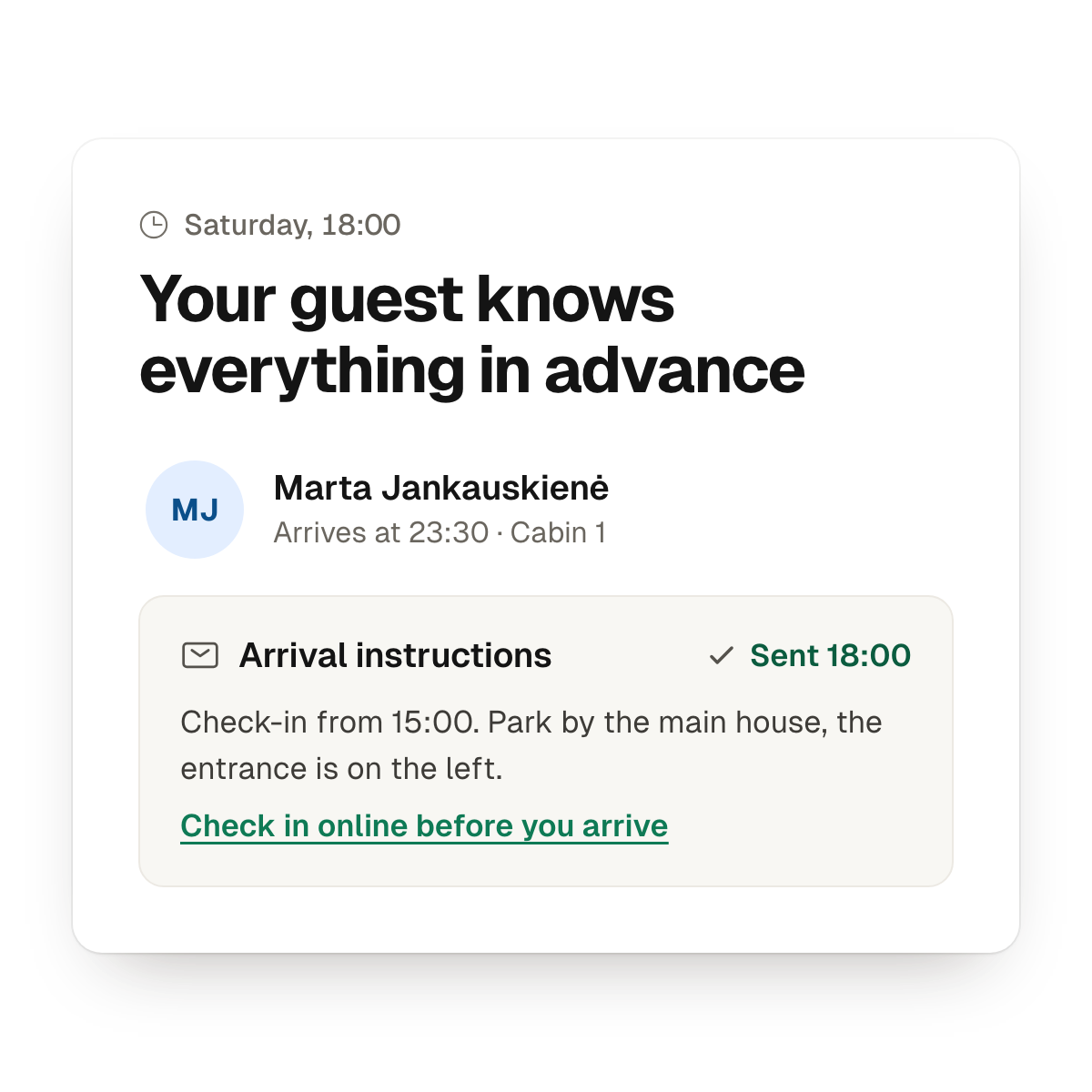
Online check-in only makes sense if arrival itself also works without you. At the agreed time Ovilo sends the guest arrival instructions–how to find the place, where to park, what the Wi-Fi is–and the door code, if you use keypad locks or a key box. For the usual questions Ovilo AI drafts a reply from your house rules and the booking; you approve it, or let it send.
The result: a guest arrives at 23:40 after a long journey, opens the door, and does not feel they are disturbing anyone. You find out about it in the morning summary.
- Arrival instructions and the door code go out without you.
- On arrival, check-in can be finished at the kiosk.
- Ovilo AI drafts replies, you approve them.
What to check when choosing a system.
Ask to see the registration form on a phone–through your eyes and the guest's. Find out where the data is stored, who can see it, and how it is deleted after the stay. And ask what happens if the guest has not completed the form: does the system remind them, or stay silent?
A clear check-in process saves you time and is easy for the guest to complete. A poor one moves the retyping to another screen and adds a link the guest never opens.
Short answers
- How does online guest check-in work? Before arrival the guest receives a link, fills in the NTIS-required details on their phone, and then receives arrival instructions and the door code. You check that everything was filed and, on arrival, that the guest's ID matches the submitted details.
- Is it safe to ask guests for a passport photo by email? Not advisable. A passport photo sent by email sits in your and the guest's mailboxes indefinitely, and NTIS does not even require a photo, only the document details.
- How does a guest get the door code without meeting anyone? The code goes out with the arrival instructions once the guest completes check-in. You do not wait at the door or send a message by hand.
Common questions
- What is online guest check-in?
- It is the process where the guest fills in their registration details themselves before arrival, through a secure link, instead of dictating them at reception or emailing a photo of an ID document. The details are linked to the reservation immediately and, where required, submitted to E. turistas.
- Is it legal, and does it work for E. turistas in Lithuania?
- Yes. NTIS itself offers the option of sending the guest a link to a registration card. When a PMS collects the data, it is submitted to E. turistas through the API–the same result, without retyping.
- Can I ask for a photo of the ID document by email?
- We do not recommend it. A copy of an identity document sits in a mailbox indefinitely, is visible to anyone with access to that mailbox, and GDPR requires collecting only the data you need and keeping it only as long as necessary. A registration form collects only the required fields and stores them in the system with access control.
- What if the guest has not completed the form before arrival?
- The reservation shows what is missing. On arrival the guest can finish check-in at the kiosk: enter the details, sign and accept the house rules. What matters is that the data reaches E. turistas within 24 hours.
- How does the guest receive the door code?
- Once the guest completes check-in, the door code goes out with the arrival instructions. You do not wait at the door or send a message by hand.
- Is it convenient for guests?
- The guest completes the form on their phone in a couple of minutes, in their own language, whenever suits them. On arrival they do not queue at reception or look for someone to call. Most guests find it natural–much like checking in online for a flight.
- What data is collected?
- Only what E. turistas and the stay require: first and last name, date of birth, the country that issued the identity document, country and city of residence, the number of accompanying minors, whether the trip was booked through an organiser, purpose of travel, arrival time, and contact details. Nothing extra that you would later have to store for no reason.